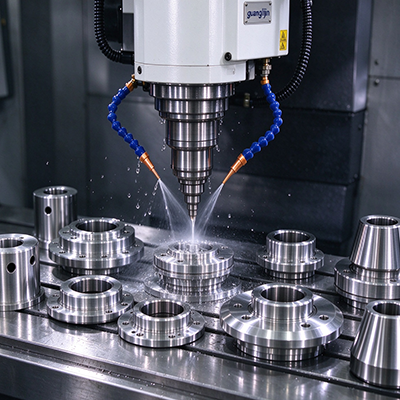
3 axis CNC software can refer to CAD, CAM, or the machine control interface. These tools serve different roles. CAD defines the shape, CAM plans cutting motion, and the control executes compatible machine instructions. Before buying, identify the missing function in your workflow. A capable drawing program alone is not a complete machining solution.
Map the File Route
Start with the files you receive and the machine you operate. Check whether the software can import the required geometry without losing important details. Then identify the tool-path strategies and post processor needed for the control. Ask the supplier to demonstrate the full route from your file to a reviewed program.
Keep tool libraries and setup data in scope. A program based on the wrong holder length can look reasonable while creating a physical collision. Confirm how the team stores approved tools, fixtures, and revisions. Good software selection includes a maintainable workflow, not just a list of available cutting strategies.
Check Edition-Specific Features
Autodesk’s personal-use comparison lists two- and three-axis milling among its available manufacturing capabilities. [Source 1: Autodesk, Fusion for Personal Use comparison.] Capability and permitted use are separate questions. A commercial workshop should verify the correct offering and current terms rather than assuming a personal-use edition suits production.
The same comparison distinguishes automatic tool changes and rapid feed from the personal-use offering. [Source 2: Autodesk, Fusion for Personal Use comparison, Manufacturing features.] Feature differences can affect how a job is run. Confirm the exact edition, any extensions, and the output behavior before using a demonstration as a purchasing basis.
Project A vs Project B: Geometry Tool or Complete CAM Route
A CAD-focused package may solve design work while leaving machining to another system. An integrated workflow can reduce transfers, but still needs the correct machine output. Compare the route your team will use each day. A feature-rich package may be poor value if common jobs require awkward manual steps or unsupported conversions.
| Decision | Project A: CAD-focused tool | Project B: CAD and CAM route |
|---|---|---|
| Main output | Defined part geometry | Geometry and planned tool paths |
| Remaining requirement | Compatible CAM and post | Validated machine-specific output |
| Buying proof | Clean file transfer | Complete sample workflow |
A Five-Step Software Trial
- Choose a real file. Use a common part with the features your shop actually makes.
- Test import and revision. Confirm geometry quality and how later design changes are handled.
- Build the setup. Enter the real stock, tools, holders, and fixtures.
- Validate output. Check the post and supported control functions through the approved review process.
- Repeat with your operator. Measure preparation effort, errors, and the ability to reproduce the accepted result.
An Illustrative License Surprise
Imagine a workshop choosing software from a demo that includes an extra manufacturing extension. The purchased edition does not include the demonstrated strategy. The software may be capable in principle, but the quoted package is incomplete. A written feature list tied to the exact subscription avoids that mismatch before production depends on it.
While researching this guide, I compared the personal-use feature table with the broader manufacturing description. That review showed why the edition name belongs beside every capability claim. I would request a demonstration using the exact quoted package and save the resulting setup files as part of the acceptance record.
⚠ Attention: Do not treat a smooth simulation as proof that the machine code is correct. The modeled machine, fixture, tool data, and post must match reality. Do not assume an educational or personal edition permits the intended commercial use. Confirm the current offering and required functions before making it part of production.
Software Buying Questions
Does the machine brand determine the CAM choice?
It is an important compatibility factor, but not the only one. Consider supported post processors, part geometry, tool paths, staff skills, and maintenance. Ask the software supplier to validate the actual control configuration. A familiar brand name in a compatibility list does not prove every option or accessory is supported.
Can simulation replace a first-part trial?
No. Simulation can reveal many planning issues, but its value depends on the supplied data and the type of simulation. The physical process still involves tools, material, holding, and machine behavior. Use the approved proving procedure and inspect the sample. Keep the verified files and settings so the result can be repeated.
What should a software quote include?
For 3 axis CNC software, specify import needs, tool-path functions, post support, training, and ongoing costs. Ask which extensions are required and who maintains the post. Include a trial on your own part. A usable workflow is a stronger buying criterion than the longest feature list.
Checklist
- CAD, CAM, and control roles are clear.
- The exact edition covers required functions.
- Files import correctly.
- Tools and fixtures match the setup.
- The post is validated.
- Your operator can repeat the workflow.