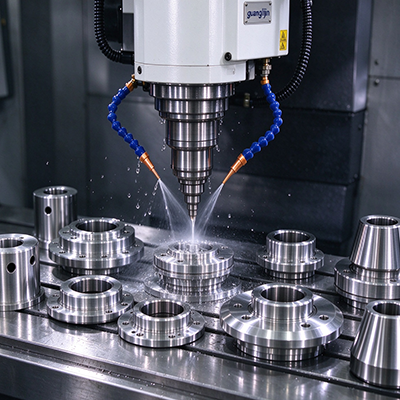
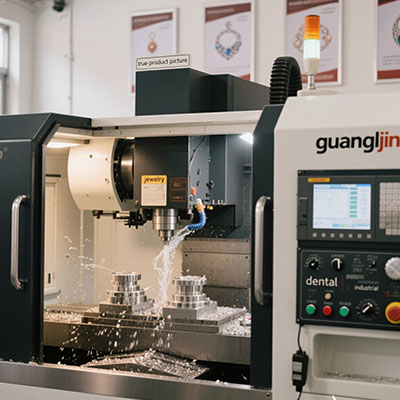
3 axis vs 4 axis CNC is best judged by the part’s side-access needs. A rotary axis can present another face without releasing the work. It can also support suitable coordinated cuts when the machine and control allow them. The useful comparison is the complete production route, including setup, fixtures, programming, and inspection, rather than the axis count alone.
Find the Setup That Rotation Could Remove
Choose a part that currently needs repositioning. Mark the features on each side and the relationships between them. If a rotary can reach those faces from one hold, it may simplify the route. If the part only has flat top features, the extra motion may offer little benefit for that job.
Distinguish indexing from coordinated rotary cutting. An attachment that moves to a position and stops is not necessarily configured for simultaneous motion with the linear axes. Ask the supplier to identify the supported mode. Also check the post processor and any drive or control option required for the intended use.
Read the Attachment’s Requirements
The Haas HRT160 product page specifies a 160 mm rotary platter. [Source 1: Haas Automation, HRT160 product overview.] Size affects the mounting and holding options, but it does not establish the usable part envelope. Include the chuck, fixture, and tool access when checking whether the proposed part can be made.
Haas states that full fourth-axis operation of the listed HRT160 requires a fourth-axis drive and the specified compatible NGC software version. [Source 2: Haas Automation, HRT160 compatibility note.] This is product-specific guidance. Verify the exact requirements for any attachment instead of assuming that physical fit means full control compatibility.
Project A vs Project B: Reloading or Indexing
A second vise setup can be a sound method when its references are controlled. A rotary may reduce that manual step while adding centerline and clearance checks. Compare the same finished part using both routes. Include loading, alignment, and inspection time so the decision reflects the shop’s real work rather than a short cut demonstration.
| Decision | Project A: Three-axis reload | Project B: Rotary indexing |
|---|---|---|
| Side access | Release and reposition the work | Rotate the held work |
| Reference concern | Location after reloading | Rotary centerline and fixture location |
| Additional requirement | Second holding method | Compatible rotary control and post |
A Five-Step Comparison
- Map all faces. Identify which features require another approach direction.
- Document the current route. Measure loading and relocation work as well as cutting time.
- Check rotary compatibility. Confirm mounting, drive, software, and the intended motion mode.
- Review the full envelope. Include the rotating fixture, stock, holder, and nearby machine components.
- Compare accepted samples. Inspect cross-face relationships and record complete cycle time for both routes.
An Illustrative Cross-Hole Part
Imagine a small cylindrical fixture with holes at several angular positions. A rotary can present each position without releasing the cylinder. The improvement still depends on a sound grip and correct reference. If the work slips inside the fixture, accurate rotary positioning alone will not produce the required hole pattern.
While researching this guide, I compared the rotary’s physical size with its control compatibility note. The second item was just as important as the first. That review supports a clear buying rule: confirm both mechanical fit and the intended operating mode before treating an attachment as an upgrade to the process.
⚠ Attention: Do not assume that an indexer and a fully coordinated rotary provide the same functions. Do not judge clearance only at the starting angle. Review every required orientation and transition. Keep the actual fixture and holder in the model, and follow the maker’s installation and proving procedure.
Axis-Comparison Questions
Will a rotary improve accuracy automatically?
No. It can reduce some relocation steps, but the result still depends on the attachment, setup, fixture, machine, and inspection method. Compare measured parts rather than relying on the label. A carefully controlled second setup may be suitable, while a poorly integrated rotary can introduce a different set of errors.
Can every mill accept a fourth axis?
No. Physical space, mounting, drives, control support, and software vary. Ask the machine and attachment suppliers to approve the combination. Include any required options in the quote. A device that fits on the table may still lack supported communication or the coordinated motion needed for the planned operation.
What makes a useful buying comparison?
For 3 axis vs 4 axis CNC, use one drawing, material, finish target, and batch assumption. Request a complete route for each option. Compare accepted-part time and total configuration cost, including the fixture and post. That evidence shows whether rotation solves a real production constraint.
Checklist
- The side-access requirement is clear.
- Current relocation work is measured.
- Indexing and coordinated motion are distinguished.
- Mechanical and control compatibility are approved.
- All rotary positions clear the setup.
- Accepted samples support the decision.