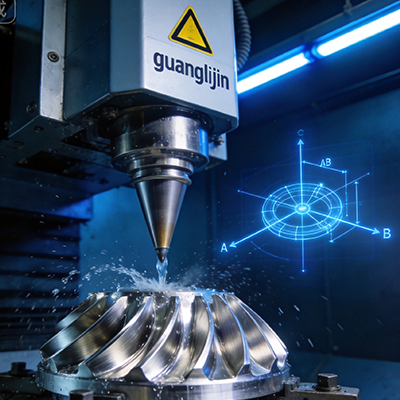
Four-axis machining gets overlooked. Shops jump from 3-axis straight to 5-axis, skipping a middle option that solves most multi-sided work at a fraction of the price. That skip is often a mistake.
The Real Difference Between 3, 4, and 5 Axis
A 3-axis mill cuts from one direction. The tool moves in X, Y, and Z. Any feature on the side or back of the part needs a second setup, a new fixture, and a fresh alignment.
Four-axis machining adds a rotary axis, usually the A axis on the table. The part rotates while the tool cuts. Features on four sides of a part can be reached without re-fixturing. That single change eliminates setups, and setups are where error and cost hide.
Five-axis adds a second rotary axis for full contouring. It reaches compound angles and undercuts that four axes cannot. The tradeoff is price and complexity. A 5-axis machine costs more, needs more skilled programming, and requires more maintenance. For a large share of real parts, four axes delivers everything needed.
Therefore, the 4 axis cnc machining decision is not about settling for less. It is about matching capability to geometry. Parts with features around one rotational axis do not need a second rotary table.
What 4-Axis Machining Handles Well
Four-axis work fits a specific family of parts. Cylindrical components, shafts, and tubes are the obvious candidates. Multi-sided prisms, valve bodies, and manifolds also fit when features sit at consistent angles around one axis.
Helical geometry is another strong fit. Threads, grooves, and helical slots cut cleanly when the rotary axis turns in sync with the linear axes. Simultaneous four-axis motion enables this. Indexed 3+1 machining cannot.
Precision matters here. A rotary table with ±30 arc-second positioning accuracy produces roughly 0.015 mm deviation at a 100 mm radius. At 300 mm radius, the same error grows to 0.044 mm. Part size and feature distance from centerline determine whether the rotary table is accurate enough.
Specific machine data illustrates this. A Haas HRT160 rotary table lists ±30 arc-seconds positioning and ±10 arc-seconds repeatability. The higher-tier HRT310 tightens positioning to ±15 arc-seconds. For long parts with features far from centerline, that accuracy difference decides pass or fail.
Project A vs. Project B: Two 4-Axis Applications
Two applications show how four-axis capability translates into real production results.
| Factor | Project A: Pneumatic Cylinder Barrels | Project B: Automotive Steering Knuckles |
|---|---|---|
| Machine Setup | Vertical mill + HRT160 rotary | Horizontal mill + full 4th axis |
| Material | Aluminum 6061 | Ductile iron |
| Key Features | Cross ports, O-ring grooves, end threads | Strut mount bores, caliper mounting faces |
| Setups Without 4-Axis | 4 setups | 5 setups |
| Setups With 4-Axis | 1 setup | 1 setup |
| Typical Tolerance | ±0.025 mm | ±0.05 mm |
| Main Benefit | Setup reduction | Datum consistency across features |
Project A is a classic four-axis win. Four setups collapse into one. Each eliminated setup removes an alignment step and a chance for error. The part stays in the same fixture from start to finish. Therefore, feature-to-feature relationships hold tighter than any multi-setup process could achieve.
Project B is heavier work in a tougher material. The benefit is not speed. It is datum consistency. Every feature references the same zero point because the part never leaves the fixture. The caliper mounting faces and strut bores stay aligned to each other within tolerance across the batch.
Step-by-Step: Setting Up a 4-Axis Job That Works
Five steps from bare table to first good part
- Align the rotary centerline to the machine axes. Mount a test bar in the chuck and sweep it with a dial indicator. Adjust until runout is within 0.005 mm over the bar length. Skip this step and every angular feature inherits the misalignment.
- Choose workholding that repeats. A 3-jaw chuck is fast but not repeatable. A collet chuck or a dedicated fixture plate with locating pins gives consistent part position across batches. Repeatability in workholding is as important as repeatability in the machine.
- Program with the rotary axis in mind. Decide between indexed 3+1 machining and simultaneous four-axis motion before writing toolpaths. Indexed work is simpler and more rigid. Simultaneous work enables helical features but demands attention to backlash and feed rates.
- Measure backlash at operating temperature. Command the rotary to a position, reverse direction, and measure the lost motion. Enter the value in the control’s compensation table. Recheck after an hour of cutting. Thermal growth changes backlash on many rotary designs.
- Cut a test part and verify angular spacing. Cut features at multiple angles and measure them with a CMM or sine bar. Compare measured angles to commanded values. That delta is the real accuracy of the setup, not the spec sheet number.
⚠ Attention: Common 4-Axis Mistakes
Q&A: What Buyers Search About 4-Axis CNC Machining
What is 4-axis CNC machining used for?
Four-axis machining suits cylindrical parts, multi-sided prisms, and components with features arranged around one rotational axis. Shafts, valve bodies, manifolds, and helical components are common applications. It eliminates multiple setups compared to 3-axis work.
How much does a 4-axis CNC machine cost?
A 4-axis vertical mill with a rotary table typically runs $60,000 to $120,000 depending on size and control. Adding a rotary table to an existing 3-axis machine costs $8,000 to $25,000 for the table alone. Horizontal 4-axis machining centers start higher, often above $150,000 .
Is 4-axis CNC machining faster than 3-axis?
Not always faster in cutting time. It is faster in total process time. One setup replaces three or four. Setup and alignment time drops dramatically. Feature consistency improves because the part never leaves the fixture. Total cycle time per part often falls 20–40% on multi-sided work .
What is the difference between 3+1 axis and true 4-axis machining?
3+1 machining indexes the rotary axis between cuts and locks it during cutting. True 4-axis machining moves the rotary axis simultaneously with the linear axes. Simultaneous motion enables helical milling and continuous contouring. Indexed work is simpler, more rigid, and sufficient for many parts.
Can 4-axis CNC machining replace 5-axis for complex parts?
For parts with features reachable by rotating around one axis, 4-axis is more cost-effective and often more rigid than 5-axis. For compound angles and undercuts needing two rotary axes, 4-axis cannot substitute. The decision depends on part geometry, not on machine capability alone .
The Bottom Line on 4 Axis CNC Machining
Four-axis machining is the practical middle ground. It solves multi-sided work without the price and complexity of a fifth axis. The 4 axis cnc machining approach reduces setups, improves feature consistency, and keeps parts in one fixture from start to finish.
Match the rotary table’s accuracy class to the part’s radial feature distance. Align the centerline before every new job. Measure backlash at temperature. Support long parts. These habits turn a modest rotary table into a reliable production tool. The machine sets the ceiling. The setup determines whether you reach it.
4-Axis Machining Setup Checklist
- Align rotary centerline to linear axes within 0.005 mm over test bar length
- Select repeatable workholding: collet chuck or pin-located fixture plate
- Decide indexed 3+1 versus simultaneous 4-axis before programming toolpaths
- Measure rotary backlash cold and at operating temperature, then compensate
- Cut a test part at multiple angles and verify with CMM or sine bar
- Add tailstock support for parts longer than 3× chuck depth
- Probe a reference feature every few parts on long production runs
- Re-verify rotary alignment after any crash or fixture change