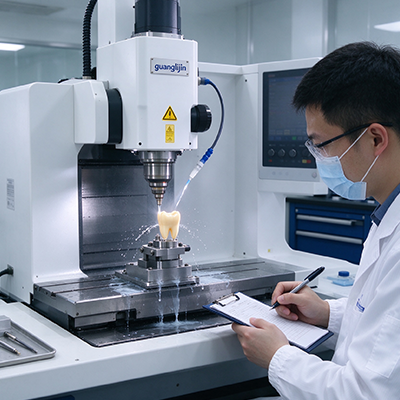
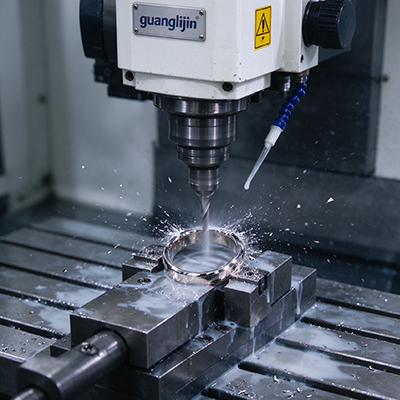
Desktop machines used to mean hobby-grade. That line has blurred. A modern desktop 5 axis cnc machine cuts real parts in aluminum, brass, plastics, and tooling board. It fits on a bench and runs on single-phase power. The question is no longer whether a desktop machine can do useful work. It is whether a given system can do your work.
The Desktop Reality Check: What Fits and What Does Not
Desktop 5-axis machines trade envelope for footprint. Work cubes typically run from 200 mm to 400 mm per side. That covers small brackets, prototype housings, jewelry masters, and dental parts. It does not cover large panels or deep molds.
Rigidity scales with mass. A desktop machine weighs a fraction of a full-size machining center. Light cuts are its natural territory. Heavy stock removal in steel is not. Buyers who expect full-size metal removal rates from a desktop platform will be disappointed.
Accuracy is a different story. A well-built desktop machine can hold ±0.01 mm to ±0.02 mm on small parts. That accuracy comes from short travels and rigid construction. Small machines have less distance to accumulate error.
Therefore, the desktop decision starts with part size and material. Map your parts before comparing specifications. A machine that fits the bench but not the part family is the wrong purchase.
Kinematic Layouts in Desktop 5-Axis Machines
Desktop five-axis systems use three common layouts. The trunnion table rotates the part. The head-head design tilts and swivels the spindle. The hybrid splits motion between both.
Trunnion tables are common on desktop machines. The design is compact and rigid. The part sits close to the rotation center. The limit is part swing. A tall part collides with the table structure as it rotates.
Head-head designs move the spindle instead of the part. The work envelope stays clear. This layout suits long parts that cannot rotate. The trade-off is spindle head inertia. Small machines feel that inertia more than large ones.
Hybrid layouts appear on mid-size desktop platforms. The table tilts and the head swivels. Reach improves. The controller must track two moving centers. Programming complexity rises.
Comparing Two Desktop 5-Axis Systems: Project A vs. Project B
| Parameter | Project A: Trunnion, Granite Base | Project B: Head-Head, Aluminum Frame |
|---|---|---|
| Work envelope | 250 × 250 × 200 mm | 300 × 200 × 250 mm |
| Frame material | Granite base, cast iron column | Welded aluminum frame |
| Primary material | Aluminum, brass, tooling board | Plastics, wax, soft aluminum |
| Positioning accuracy | ±0.01 mm | ±0.03 mm |
| Vibration damping | High — granite absorbs vibration | Moderate — aluminum rings under load |
| Footprint | 900 × 800 mm | 800 × 700 mm |
| Best fit | Prototype metal parts, small molds | Plastic prototypes, jewelry, education |
Project A paid more for the granite base. That base absorbed vibration and held tolerance on aluminum parts. Project B saved money and used the machine for plastic prototypes. Both choices fit their intended work. The mistake would be buying Project B for metal parts or Project A for a plastic-only workflow.
The Controller and RTCP Question
Five-axis capability lives in the controller. RTCP keeps the tool tip on path as the rotary axes move. Without it, every tilt shifts the tool tip by the pivot distance. The error compounds on small parts where tolerance is tight.
Desktop controllers vary widely. Some run full industrial control software with RTCP and kinematic compensation. Others run hobby-grade firmware with limited five-axis support. The difference shows up in the first angled cut.
Confirm RTCP is included and active before buying. Ask for the controller’s five-axis test procedure. A machine that positions the rotary axes but cannot compensate for their motion is a 3+2 machine with a marketing label.
CAM support matters too. Your CAM software needs a post-processor for the specific machine and controller. A generic five-axis post produces collisions and scrapped parts. Ask the builder for the post-processor and test it on a simple part.
Our team evaluated three desktop five-axis systems in 2025 for a prototype shop. Two had RTCP. The third relied on manual offset entry after each rotation. The shop chose an RTCP machine and cut a five-sided aluminum housing in one setup. The manual machine would have needed four setups and carried more error. RTCP is not optional on a precision five-axis platform.
Setup Workflow on a Desktop 5-Axis Machine
Step-by-Step: Desktop 5-Axis Setup
- Level the machine. A desktop frame is light. An unlevel bench transfers twist into the frame and the cuts.
- Level the trunnion or verify the head. Sweep a dial indicator across the platter or test bar. Any tilt corrupts the offsets.
- Find the rotary center. Touch off the platter center or the head pivot. Record the values in the work offset.
- Set the pivot distance. Record the distance from the table face to the rotation centerline. RTCP needs it.
- Verify RTCP with a test cut. Cut a feature at two different angles. Measure the deviation between them.
- Check backlash with the clamp released. Then check it with the clamp engaged. Both values belong in the maintenance log.
Thermal and Chip Management on a Small Platform
Desktop machines have less mass to absorb heat. The spindle and the ballscrews warm up faster relative to the frame. Thermal drift can appear within an hour of continuous cutting.
A warm-up routine helps. Run the spindle and the axes through a short cycle before precision work. Ten minutes brings the machine closer to its working thermal state. Then cut the critical features.
Chip management is a small-machine challenge. Enclosures keep chips off the bench and out of the ways. Vacuum extraction handles plastic and composite dust. A compact coolant system helps on aluminum. Plan the chip path before the first cut.
Precision requirements for small aerospace-adjacent features often sit within ±0.02 mm to maintain fit and function. A desktop machine with a granite base, RTCP, and disciplined warm-up can hold that range on small parts. The variables are construction and workflow, not the size of the machine.
The desktop 5 axis cnc machine platform has matured into a serious tool for small-part work. Buyers who match the envelope, the frame, and the controller to their part family get reliable results. Buyers who chase the lowest price get a machine that teaches them the limits the hard way.
Frequently Asked Questions
What can a desktop 5 axis CNC machine actually cut?
Aluminum, brass, plastics, wax, tooling board, and small composite parts. Heavy steel removal is beyond most desktop platforms. A rigid desktop machine with a granite base handles light metal work well.
How accurate is a desktop 5 axis CNC machine compared to a full-size machining center?
A well-built desktop machine holds ±0.01 mm to ±0.02 mm on small parts. Full-size machining centers hold similar accuracy over larger envelopes. Short travels on a desktop machine reduce accumulated error.
Does a desktop 5 axis CNC machine need RTCP?
Yes, for any true five-axis work. RTCP keeps the tool tip on path as the rotary axes move. Without it, angled features carry position errors. Confirm RTCP is included and active before buying.
What is the best frame material for a desktop 5 axis CNC machine?
Granite bases and cast iron columns offer the best vibration damping and thermal stability. Welded aluminum frames cost less but ring under load. Match the frame to the material you plan to cut.
Why does my desktop 5 axis machine chatter on small cuts?
Check the bench rigidity first. A light frame on a flexible bench transfers vibration into the cut. Level and bolt the machine. Then check guideway preload, tool overhang, and spindle condition.
Desktop 5-Axis System Selection Checklist
- Map part sizes and materials before comparing machines.
- Confirm the work envelope fits the largest part with clamping room.
- Verify frame construction: granite, cast iron, or aluminum.
- Confirm RTCP and kinematic compensation are included and active.
- Ask for the CAM post-processor and test it on a simple part.
- Check rotary axis backlash with the clamp released and engaged.
- Level the machine and bolt it to a rigid bench.
- Run a warm-up cycle before precision cuts.
- Plan chip and dust management before the first production job.
- Cut a test part at two angles and measure the deviation.