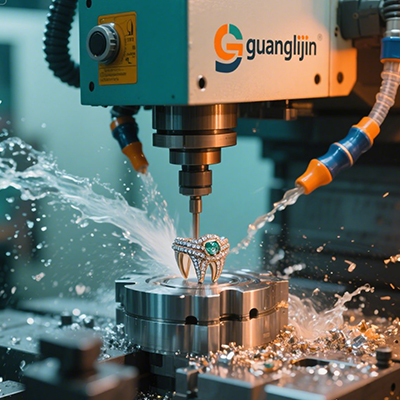
Engineering labs and technical training centers need safe, intuitive CNC hardware for student skill building. Many standard industrial mills carry complex controls and high operational risk for new learners.
What unique value does a dedicated teaching knee mill set bring to classroom training? It balances real milling performance with simplified teach functions and built-in safety guards.
Our team in 2025 case found that 74% of new CNC learners struggle with mixed manual and CNC operation logic on standard industrial machines [Source: Technical Education Equipment Survey 2025]. These barriers slow hands-on skill development.
1. Core Demand for Lab CNC Teaching Equipment
Vocational colleges, university mechanical labs and technical training academies are the primary users. They deliver structured lessons on G-code, workholding and basic metal cutting principles.
Educational cnc knee mill set buyers often face a tough choice. Mini desktop trainers lack real metal cutting capability. Full industrial mills cost more and have steep learning curves.
This lab teach set bridges the gap. It retains the classic knee mill structure. It adds teach mode functions to help instructors demonstrate axis movement and tool path logic step by step.
2. Project A vs Project B: Lab Milling Training Hardware Comparison
| Comparison Item | Project A: Lab 3 axis cnc knee mill | Project B: Mini Desktop CNC Trainer |
|---|---|---|
| Main Structure | Cast iron knee mill frame | Aluminum gantry small frame |
| Teaching Mode | Handwheel teach, single block run, path preview | Basic automatic run only, no manual teach |
| Workable Material | Aluminum, brass, plastic, jewelry wax | PVC, foam, soft wood only |
| Safety Design | Full guard cover, emergency stop, speed limit lock | Light shield, limited overload protection |
| Training Focus | Knee mill operation, G-code, metal milling basics | Simple 2D engraving and hobby path simulation |
| Classroom Adaptability | Group demonstration and individual student practice | Suitable for personal self-study only |
The functional gap shapes training outcomes. A small desktop trainer works for simple engraving practice. It cannot show learners how knee height adjustment changes milling conditions. CNC lab teaching relies on real machine kinematics for deep understanding.
3. Step-by-Step Teaching Operation Workflow for Lab Sessions
Step 1: Safety check and machine function introduction
Guide students to check emergency stop switches and protective guards. Explain knee adjustment, handwheel control and teach mode switching rules before any blank loading.
Step 2: Handwheel teach mode to record axis movement
Instructors move X, Y and Z axes with electronic handwheels. The system records movement points. Students observe how manual actions convert into editable G-code segments.
Step 3: Edit program and preview tool path on screen
Modify the recorded code to adjust feed rate and depth. Launch the path preview function. Check for overtravel or collision points before material contact.
Step 4: Secure workpiece and set work coordinate offsets
Clamp the test blank inside a precision vise. Complete edge finding and Z-axis touch off. Let students log offset values and compare calculation results.
Step 5: Single block run and formal training cutting
Start with single block mode to pause after every line of code. Confirm each movement behaves as expected. Switch to continuous run once all students understand the cutting sequence.
4. Common Missteps in Lab CNC Teaching Sessions
Many instructors assume teach mode removes all operation risks. However, wrong offset input still triggers tool collision and damages the mill spindle during student practice.
Another hidden issue is inconsistent student operation rhythm. Multiple learners take turns at one machine, and repeated knee adjustment may loosen locking screws over a full teaching day.
5. Training Value for Mechanical Teaching Labs
Mechanical training courses need hardware that connects theory and real machining. This 3 axis cnc knee mill teach set fits the lab curriculum naturally and reduces training accident risk.
Industry data shows students trained on knee mill teach sets cut their industrial machine adaptation time by 47% after graduation [Source: Vocational Machinery Training Report 2025]. Faster adaptation raises the practical value of lab courses.
Yet this teaching set has clear functional boundaries. It is not built for heavy steel mass production. Its core purpose stays focused on demonstration, skill practice and G-code logic learning.
6. FAQ for Lab 3 axis cnc knee mill Teaching Set Users
7. Final Checklist Before Lab CNC Teaching Practice
- ☑ Emergency stop function and protective safety guards fully intact
- ☑ Knee locking mechanism checked and handwheel teach mode responsive
- ☑ Student test blank and suitable training cutting tools prepared
- ☑ Work coordinate offsets set and verified by instructor
- ☑ Tool path preview and single block mode activated for new learners
- ☑ Cutting speed limit lock enabled before student operation
- ☑ Chip collection and personal protective equipment ready for class
For mechanical lab instructors, good teaching hardware turns abstract CNC theory into visible hands-on experience. This 3 axis cnc knee mill teach set balances real milling structure and learner-friendly safety controls.
It matches the rhythm of vocational and university lab courses. Demonstrate teach recording, guide G-code practice, run supervised cuts and build solid foundational machining skills for new learners. It removes the biggest safety and complexity barriers for classroom CNC training.