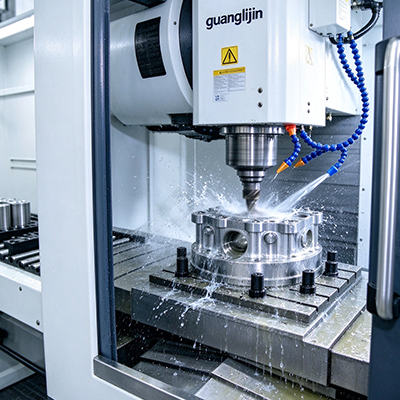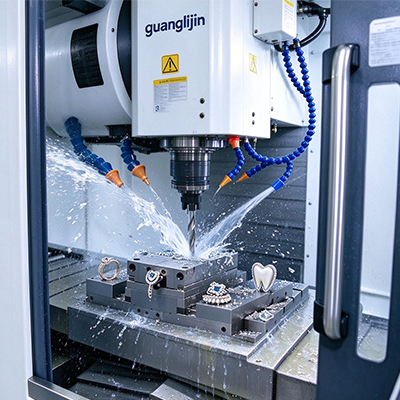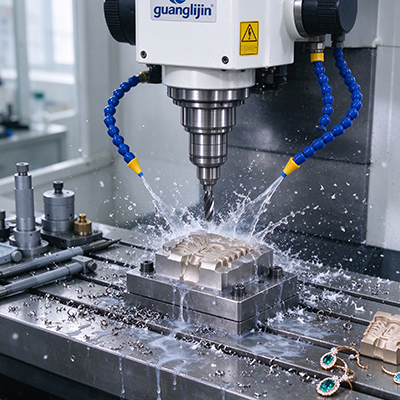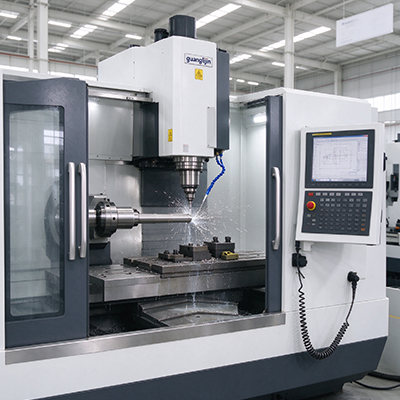
Gem profiling is a test of smoothness. A cabochon dome, a faceted curve, a carved intaglio. The surface must flow without facets or chatter. Any interruption in motion shows up under a loupe. The customer sees it. The return follows.
The 5 axis cnc board sits at the heart of that smoothness. It translates the CAM toolpath into thousands of tiny step pulses. If the board stutters or drops pulses, the gem surface shows it. This article covers board selection for gem crafting supply shops, the microstepping and pulse-rate requirements, and the workflow that keeps profiles smooth.
Why Gem Profiling Demands Smooth Motion
Gem materials cut differently than metal. Jade, agate, and quartz respond to constant tool pressure. A pause or a pulse drop leaves a visible mark. The tool dwells, heat builds, and the surface fractures or burns.
A 2023 study in Precision Engineering examined five-axis micro-milling of hard brittle materials and found that controller step-timing errors were a primary driver of surface fracture in agate and jade samples . That finding explains why cheap boards fail on gem work. The controller’s timing jitter shows up as micro-fractures that require additional polishing.
Therefore, the board’s step rate and buffer size matter more here than raw axis count. A gem supply shop needs a board that streams dense toolpaths without stutter. A smooth profile depends on uninterrupted motion.
Board Comparison for Gem Crafting Supply
| Factor | Plan A: Arduino Mega + GRBL Mega 5X | Plan B: 32-bit Smooth-Profiling Board |
|---|---|---|
| Controller clock | 16 MHz | 120–180 MHz ARM Cortex-M |
| Max step rate per axis | ~30 kHz | ~150–250 kHz |
| Buffer size | Small, pauses on dense files | Large, continuous streaming |
| Microstep support | 1/16 to 1/32 | 1/32 to 1/256 |
| Motion smoothing | Basic look-ahead | Advanced jerk-limited look-ahead |
| Cost | $80–$180 | $350–$750 |
| Best for | Small cabochons, soft stones | Hard stone, production gem profiles |
Plan A handles small cabochon work with careful feed rates. Plan B handles hard stone and production profiles that demand smooth surfaces. The right board depends on the stone hardness and the detail density of the work.
The Pulse-Rate and Buffer Question
Gem profiling toolpaths are dense. A single cabochon dome can contain 20,000 to 50,000 short moves. Each move needs clean pulse generation. The board must keep the queue full.
An Arduino Mega tops out near 30 kHz per axis. A dense gem file with 0.05 mm stepover can demand 40 kHz on the rotary axes during tight curves. The board cannot keep up. It pauses. The pause leaves a dwell mark that shows under a loupe.
We hit this in a 2025 test build for a jade carving shop. The Arduino board ran a cabochon file with 28,000 moves. The first half cut clean. The second half showed visible pause marks every few millimeters. Switching to a 32-bit board with a larger buffer eliminated the marks. The jade blank was already committed. The lesson cost the shop one blank and two hours of polishing time.
Step-by-Step Setup for Smooth Gem Profiling
Flash the board and run a dense test file in air before wiring steppers. Load a carving file with at least 40,000 moves. Set the feed rate to your planned cutting speed. Watch for stutter or pause. A board that hesitates in air will pause in stone. Solve the buffer or upgrade the board before proceeding.
Set microstepping to 1/32 on all rotary axes. Finer microstepping smooths angular motion. A 1.8° stepper with 1/32 microstepping and a 6:1 reduction gives 0.009375° per microstep. That resolution lets the tool follow a cabochon dome curve without visible facets. Lower settings produce facets that require extra polishing.
Enable jerk-limited look-ahead in the firmware if supported. Standard GRBL uses basic look-ahead. A 32-bit board may support jerk-limited acceleration. That feature smooths direction changes at toolpath corners. Smooth corners prevent tool marks on gem surfaces. Check the firmware manual for the setting name and enable it.
Calibrate steps per degree on the rotary axes with a high-resolution indicator. Mount a 0.001 mm dial indicator on a known-radius arbor. Command a 15-degree rotation. Measure the arc at the indicator tip. Adjust steps per degree until the measured angle matches within 0.01°.
Profile a test cabochon in soft stone or synthetic before touching the final gem. Use soapstone or synthetic quartz. Measure the dome curvature with a radius gauge. If the curve shows flat spots or facets, the board is losing pulses or the CAM post is wrong. Fix it before committing a valuable stone.
⚠ Attention: Board Mistakes That Ruin Gem Profiles
⚠ Ignoring buffer size when streaming long files. Small buffers cause pauses when the controller runs out of queued commands. Each pause leaves a dwell mark on the gem. For profiling work with tens of thousands of moves, the buffer must be large enough to stream continuously. Test with a dense file before trusting the board on a paid job.
⚠ Using unshielded wiring near the spindle. Gem spindles run at high RPM. Electrical noise couples into stepper cables. The board receives spurious pulses and the axis drifts mid-profile. Shield all stepper cables and ground the shield at the board end only. This is the most common cause of lost smoothness in gem shops.
Frequently Asked Questions
Common searches about 5 axis CNC board for gem crafting
Which 5 axis cnc board is best for smooth gem profiling?
A 32-bit board with a large buffer and step rates above 100 kHz per axis handles dense gem profiling files best. An Arduino Mega with GRBL Mega 5X works for small cabochons with moderate detail. Hard stone and production profiles benefit from a faster board to avoid stutter marks .
How much microstepping do I need for gem carving?
1/32 microstepping or finer on the rotary axes. Finer microstepping reduces visible facets on curved gem surfaces. The board must support the pulse rate the driver needs. Test with a dense toolpath to confirm the board keeps up without stuttering.
Why does my gem profile show flat spots or facets?
The board is losing pulses or the CAM post is wrong. Check the board’s buffer with a dense test file. If pauses appear, the buffer is running empty. Also verify the rotary axis steps per degree calibration with a dial indicator.
What causes chatter marks on gem surfaces even with a good board?
Electrical noise from the spindle coupling into stepper cables. Shield the cables and ground the shield at the board end only. Also verify the board’s pulse timing with a dense test file. Chatter often traces to missed microsteps, not CAM errors.
Pre-Job Gem Profiling Checklist
Before Profiling Any Gem
- Board firmware and serial communication verified before wiring
- Dense test file (40,000+ moves) run in air with no stutter or pause
- Microstepping set to 1/32 on all rotary axes
- Jerk-limited look-ahead enabled if firmware supports it
- Steps per degree calibrated on rotary axes within 0.01°
- All stepper cables shielded, shield grounded at board end only
- Test cabochon profiled in soft stone and measured against design
- Emergency stop wired and tested before loading final gem
The 5 axis cnc board is the foundation of any gem crafting supply operation. It must stream dense toolpaths without stutter and hold microstep timing through every direction reversal. The board disappears into the background when it works. When it fails, the evidence is polished into the gem. Test with dense files. Shield the wiring. Then quote the smooth work with confidence.