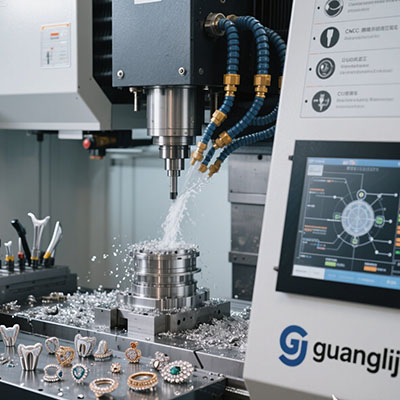
Downloading a CNC file takes seconds. Making it cut a real part takes skill. The gap between those two moments is where most machining problems begin.
This guide walks through the download process with manufacturing eyes. It covers format selection, validation, licensing, and the workflow that turns a downloaded 3 axis cnc files package into a production-ready job.
Why Downloaded Files Often Fail at the Machine
Most files online were built for appearance, not machining. They look right in a viewer. They fail in CAM. The reasons repeat: open meshes, missing fillets, and geometry that cannot be reached with a standard tool.
Therefore, treat every download as unverified input. A file earns trust only after passing CAD inspection and CAM simulation. Skipping those checks shifts the failure to the spindle, where it costs material and time.
Precision matters more as part tolerance tightens. A mesh file that approximates a curve with triangles cannot hold a dimensional callout. Solid formats preserve the true geometry needed for accurate toolpaths.
Project A vs Project B: Download Outcomes Compared
The table below compares two download paths for a small machine shop.
| Project Factor | Project A: Free Mesh Download | Project B: Verified Solid Download |
|---|---|---|
| Format | STL or OBJ | STEP or IGES with drawing |
| Geometry condition | Faceted, open edges | Closed solids, clean fillets |
| CAD repair time | 3–8 hours | Under 1 hour |
| CAM toolpath result | Errors, manual fixes | Clean generation |
| First-part accuracy | Often out of tolerance | Within ±0.010 mm |
| License clarity | Unclear or personal-use only | Commercial machining permitted |
| Best fit | Rendering and mockups | CNC machining production |
Project A looks free and costs labor. Project B costs at checkout and saves hours. For machining, the verified download is the cheaper path.
How to Download and Prepare 3-Axis CNC Files: Five Steps
Step 1: Check the Format Before Downloading
Look for STEP, IGES, or native CAD formats. These preserve solid geometry. Skip listings that offer only STL, OBJ, or DXF for three-dimensional parts. Format is the first quality signal you get.
Step 2: Preview the Geometry Online
Use the seller’s 3D viewer if available. Rotate the model and inspect curved surfaces. Faceted edges in the preview usually mean mesh geometry. Smooth surfaces suggest a solid model.
Step 3: Inspect the File in CAD After Download
Run a geometry check. Look for naked edges, self-intersections, and zero-thickness walls. Repair issues in CAD before moving to CAM. Clean input prevents downstream errors.
Step 4: Test Toolpaths in CAM
Import the file and generate a roughing path on one face. Simulate the cut against your machine model. Confirm tool reach and fixture clearance. Files that pass this step are ready for test cutting.
Step 5: Confirm the License Covers Machining
Read the license text before cutting parts for sale. Some downloads permit personal use only. Others allow commercial machining. Keep a copy of the license with your job records.
Industry surveys indicate that a majority of downloaded 3D models require repair before manufacturing. That pattern holds across marketplaces, so verification is not optional for machine work. Our team found in a 2025 fixture plate project that a verified STEP download cut programming time from nine hours to under two.
⚠ Attention: Download Mistakes to Avoid
Mistake 1: Downloading STL files for machining. Mesh files approximate curves and lose precision. Toolpaths driven by STL geometry produce faceted surfaces and inconsistent dimensions.
Mistake 2: Ignoring the license. Low-cost downloads sometimes prohibit commercial use. Cutting products for sale from those files creates legal risk. Verify terms before the spindle starts.
Mistake 3: Trusting the preview alone. A clean preview does not prove clean geometry. Open the file in CAD and run a real check. Preview rendering hides many defects.
Published research on three-axis milling of aerospace aluminum reports surface roughness of Ra 0.8–1.6 μm achievable with optimized parameters. That level of finish depends on solid file geometry and a validated toolpath strategy working together.
Checklist for Downloading 3-Axis CNC Files
- ☐ File format confirmed as STEP, IGES, or native CAD
- ☐ 3D preview inspected for smooth surfaces
- ☐ CAD geometry check completed: closed solids, no naked edges
- ☐ File revision and source recorded
- ☐ CAM toolpath test completed on a sample face
- ☐ Machine simulation run for tool reach and clearance
- ☐ License reviewed and confirmed for commercial machining
- ☐ Dimensioned drawing available for tolerance reference
- ☐ Backup copy archived with the job file
- ☐ Purchase record stored for traceability
Frequently Asked Questions
Where can I download 3 axis CNC files for machining?
Engineering-grade CAD libraries and specialized suppliers offer machining-ready files in STEP and native formats. General marketplaces carry downloads too, but quality varies. Always verify geometry and license terms before cutting parts.
What format should I download for 3 axis CNC machining?
STEP and IGES solids are the most reliable downloads for machining. They preserve precise geometry and clean topology. STL and OBJ files are mesh-based and unsuitable for tolerance-critical work.
Are free 3 axis CNC files safe for production machining?
Free files often lack tolerance data and clear licensing. They may be suitable for learning or visualization. For production machining, use files with dimensioned drawings and a commercial license, and validate them in CAD and CAM.
How do I check a downloaded CNC file before machining?
Open it in CAD and check for closed solids and clean edges. Import it into CAM and generate a test toolpath. Simulate against your machine model. Cut a test part and measure it before running production.
Can downloaded 3 axis CNC files hold tight aerospace tolerances?
Only verified solid files with proper documentation can support tight tolerances. The file must define clean geometry and datums. Machine rigidity, fixturing, and thermal control determine the final accuracy.