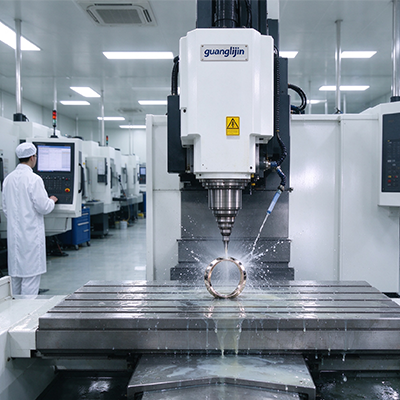
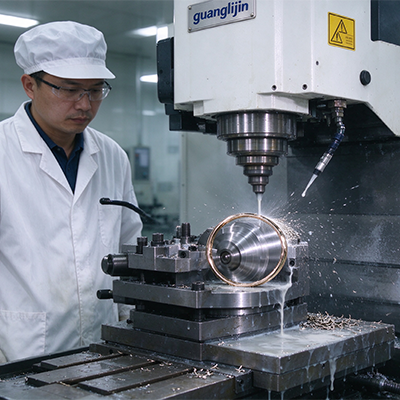
A 5-axis mill is a system, not a box of iron. Kinematics, controller math, CAM strategy, and thermal behavior all interact. Fix one layer and ignore the others, and the machine still misses tolerance. This article covers advanced solutions across all four layers, with field data and a practical acceptance workflow.
Kinematics Choices and What They Change
Three kinematic layouts dominate advanced 5-axis milling. The trunnion table rotates the part. The swivel head rotates the spindle. The hybrid splits motion between both. Each layout changes the work envelope, the rigidity, and the controller math.
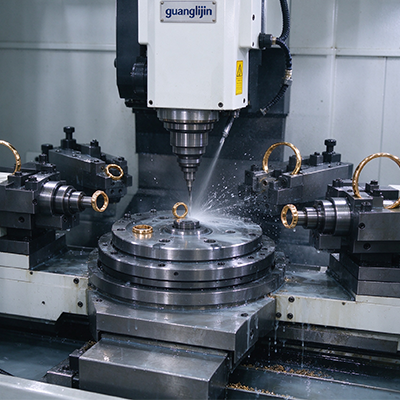
Trunnion tables keep the part close to the rotation center. That short lever arm holds rigidity during heavy cuts. The limit is part size. Large parts swing outside the envelope or collide with the table structure.
Swivel heads move the tool, not the part. Big, heavy workpieces stay clamped and stable. The trade-off is spindle inertia. A rotating head adds mass at the end of the Z axis. That mass amplifies vibration and slows acceleration.
Hybrid kinematics split the difference. The table tilts, the head swivels. Reach improves. Programming complexity rises. The controller must track two moving centers, and the CAM post must handle both.
Controller and CAM: Where 5-Axis Solutions Succeed or Fail
RTCP is the foundation. It keeps the tool tip on path as the rotary axes move. Without it, every tilt shifts the tool tip by the pivot distance. The controller computes the compensation in real time.
Advanced solutions go beyond basic RTCP. Look for tool center point management with setup error compensation. Some controllers accept measured pivot errors and correct for them automatically. That function removes a manual touch-off step and a common error source.
CAM strategy is the second half. Simultaneous 5-axis tool paths need collision checking against the full machine model, not just the part. Gouge checking alone misses the fixture, the table, and the spindle head. Advanced CAM simulates the whole kinematic chain.
Tool axis control also matters. Lead and lag angles change the effective cutting geometry. Too much lead angle lifts the tool off the surface. Too little causes rubbing at the tool tip center. Advanced CAM lets you control lead and lag along the path, not just at the start.
Comparing Two Advanced 5-Axis Setups: Project A vs. Project B
| Parameter | Project A: Trunnion + Full Simulation | Project B: Swivel Head + Part-Only Simulation |
|---|---|---|
| Part type | Inconel turbine blade, 400 mm long | Inconel turbine blade, 400 mm long |
| Tool path strategy | Simultaneous 5-axis, lead/lag controlled | Simultaneous 5-axis, fixed lead angle |
| Collision checking | Full machine kinematic model | Part and fixture only |
| Cycle time per blade | 4.2 hours | 5.1 hours |
| Surface finish (Ra) | 0.4 µm | 0.7 µm |
| Tool life per edge | 2.5 blades | 1.7 blades |
| Collision incidents | Zero | One near-miss on the table casting |
Project A invested in full machine simulation and variable lead/lag control. That investment paid back through cycle time and tool life. Project B saved on CAM setup and lost it on slower cycles and a near-miss. Advanced 5-axis solutions are not about the machine alone. The programming layer carries equal weight.
Thermal Stability on a 5-Axis Platform
Five-axis machines generate heat in more places than 3-axis machines. The rotary axes have their own drives and bearings. The spindle head on a swivel machine sits near the cutting zone. The trunnion motor on a table machine sits under the part.
Thermal growth moves the pivot point. When the pivot moves, RTCP compensates against a wrong reference. The tool tip drifts even though the controller thinks it is correct. This error is hard to see because the controller reports no fault.
Our team mapped thermal drift on a trunnion machine in 2025. The A-axis pivot shifted 22 µm over a six-hour Inconel cycle. The controller’s RTCP was working correctly. The pivot it referenced had moved. We added pivot temperature compensation to the control and cut the drift to under 6 µm.
Error Mapping and Compensation
Advanced 5-axis solutions use volumetric error mapping. A laser tracker or a ballbar measures the machine’s error across its working volume. The resulting map feeds the controller’s compensation tables.
The ISO 230-1 standard covers geometric error measurement. A full volumetric map on a 5-axis machine identifies 21 geometric error parameters. Correcting even half of them improves the contour accuracy noticeably.
Rotary axis error mapping is a separate task. Indexing error, angular positioning error, and radial motion error each need measurement. A rotary encoder check alone misses the mechanical errors in the table or head structure.
Step-by-Step: Volumetric Error Mapping Workflow
- Warm the machine. Run a full warm-up cycle for at least two hours. Map the machine in its working thermal state.
- Measure linear axis errors. Use a laser interferometer for positioning, straightness, and squareness on X, Y, and Z.
- Measure rotary axis errors. Use a rotary encoder or indexing table to capture angular positioning and backlash on A and C axes.
- Build the error model. Combine all measured parameters into a kinematic error model using the controller’s mapping tool.
- Apply compensation tables. Load the correction values into the controller. Verify with a test cut at multiple locations in the work volume.
- Re-map after six months. Wear and thermal cycles shift the error map. A re-map catches drift before it shows up in parts.
Field Experience and Data Points
Aerospace and mold shops report that 5-axis contour errors often trace back to three sources: pivot misalignment, thermal drift, and CAM tool axis control. The machine builder controls the first two. The programmer controls the third. Advanced solutions address all three.
A study in Procedia CIRP found that volumetric error compensation on 5-axis machine tools reduced overall part error by 40–60% when the error model was built from measured data. That range matches what we see in the field. Machines that skip error mapping leave most of that improvement on the table.
The cnc milling machine 5 axis platform is capable of remarkable precision. The gap between a standard machine and an advanced solution sits in the measurement, the CAM strategy, and the thermal control. Buyers and programmers who invest in those layers get the accuracy the iron can deliver.
For advanced 5-axis platforms and integration support, see Guanglijin CNC milling machine solutions.
Frequently Asked Questions
What is volumetric error compensation on a 5-axis CNC milling machine?
Volumetric error compensation measures geometric errors across the full working volume and loads correction values into the controller. It corrects positioning, straightness, squareness, and rotary axis errors together rather than one axis at a time.
How does thermal drift affect 5-axis machining accuracy?
Thermal growth moves the rotary pivot point. The controller’s RTCP then compensates against a wrong reference, and the tool tip drifts without any fault code. Pivot temperature compensation and warm-up cycles reduce this error.
Why is full machine simulation needed for 5-axis CAM programming?
Part-only simulation misses collisions with the spindle head, table casting, and fixture. Full machine kinematic simulation checks the entire motion chain. This prevents crashes that part-only checks cannot detect.
What lead and lag angles are best for simultaneous 5-axis milling?
Lead and lag angles depend on the tool geometry and material. A common starting range is 10–20 degrees of lead for ball end mills. Variable lead along the path improves surface finish and tool life compared to a fixed angle.
How often should a 5-axis machine be re-mapped for error compensation?
Re-map every six to twelve months, and after any crash or rotary axis repair. High-precision shops re-map more often. Thermal cycling and wear shift the error model over time.
Advanced 5-Axis Solutions Checklist
- Confirm RTCP and tool center point management are active and configured.
- Verify the CAM post-processor with a dry run on the actual machine.
- Import full machine geometry into CAM for collision simulation.
- Set variable lead and lag angles in the tool path, not a fixed angle.
- Run a two-hour warm-up before error mapping or precision cutting.
- Measure linear axis positioning, straightness, and squareness.
- Measure rotary axis angular positioning and backlash on A and C.
- Apply volumetric compensation tables in the controller.
- Map pivot temperature and enable thermal compensation if available.
- Re-map the machine every six months or after any crash.