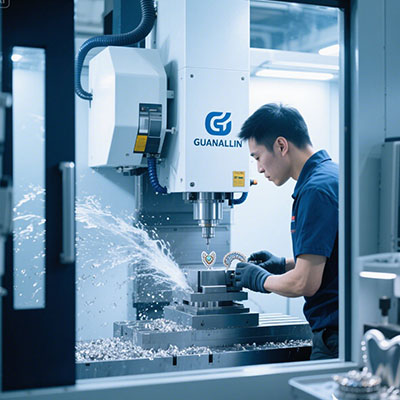
Stone shops chasing complex architectural work hit a wall fast. Three-axis machines cannot reach undercuts. Four-axis heads index but do not flow. The job stalls. This guide addresses the real problem: matching advanced router capability to the geometry you actually sell. We examine what separates a true simultaneous 5 axis stone cnc machine from a decorated bridge saw, and how to validate one before money changes hands.
What Advanced Router Solutions Actually Solve
The core problem is tool orientation. A five-axis head tilts and rotates while cutting. That freedom lets the tool approach a twisted column or a deep sink reveal from an angle that a fixed head cannot reach. Simultaneous interpolation keeps the tool tip on path through the entire motion[citation:1].
However, axis count alone means little. The control must hold tool-center-point accuracy through curves. The frame must resist vibration at the spindle nose. The CAM post must output continuous five-axis code, not indexed moves disguised as multi-axis. Therefore buyers should test the whole chain, not just the head.
Our team found in a 2025 evaluation that a mid-tier router passed a static positioning check yet chattered on a curved quartz profile. The culprit was gantry stiffness, not the control. Stiffness shows up only under load. That lesson shapes the validation steps below.
Project A vs Project B: Setup Strategy Comparison
Two shops invested in five-axis capability. Their choices reveal how router configuration affects daily workflow. Project A bought a hybrid saw/router with limited simultaneous motion. Project B chose a dedicated five-axis router with full interpolation. The difference appeared on the first complex job.
| Factor | Project A — Hybrid Saw/Router | Project B — Dedicated 5-Axis Router |
|---|---|---|
| Primary motion | 3+2 indexing, limited RTCP | Full simultaneous 5-axis |
| Setup count (complex part) | 3–4 flips | 1–2 setups with probing |
| Reach on undercuts | Restricted by head geometry | Tool tilts into recess |
| Spindle focus | Blade-oriented, lower RPM | Router spindle, 15,000+ RPM |
| Best fit | Countertops with simple edges | 3D carving, curved architecture |
Project B cost more upfront. Yet its single-setup workflow cut handling damage on polished slabs. Project A remained competitive for straight countertop runs. The comparison matters because it forces a question: what geometry pays your bills? If undercuts and twisted surfaces dominate, the dedicated router wins. If straight edges dominate, the hybrid may suffice.
Five Steps to Validate an Advanced Router
Do not accept a demo on scrap material. Do not trust a spec sheet alone. Run this sequence with your own geometry and your own operator present.
Step 1: Demand a Continuous Five-Axis Cut on Your Hardest Geometry
Provide a test file with simultaneous motion through a curved profile. Watch for pauses at direction changes. A router that stutters mid-arc leaves witness marks on finished stone. Measure true position and surface finish afterward. The cut must reflect your production reality, not a polished demo coupon.
Step 2: Inspect the Gantry and Linear Motion Hardware
Look at guide brands and mounting surfaces. Machined pads signal controlled assembly. Shims signal cost-cutting. Ask about gantry construction. Cast iron or heavy tubular steel filled with vibration-damping material holds finish at high RPM[citation:7]. Light welded frames chatter on porcelain and sintered stone.
Step 3: Verify the CAM Post Outputs Real Five-Axis Code
Many routers ship with posts that default to indexed moves. Ask the vendor to run your file through their recommended post. Inspect the G-code for simultaneous rotary and linear motion. If the post cannot produce continuous output, the fifth axis is decoration. Hexagon Alphacam and similar modular CAM platforms support full five-axis stone routing[citation:5]. Confirm compatibility before signing.
Step 4: Match Spindle Torque and Cooling to Your Material Mix
Kilowatts mislead. A 5.5 kW router spindle at 24,000 RPM suits marble and detail work[citation:3]. Granite and quartz demand torque at the cutting edge. Sintered stone requires high RPM with minimal vibration. Air-cooled spindles fail in stone dust. Liquid cooling with a dedicated chiller maintains thermal stability through long cycles[citation:7].
Step 5: Audit Fixture Strategy and Probe Routines
A five-axis router without probing wastes its capability. Ask how the machine locates a slab and establishes datum. Request sample fixture drawings. Probe routines should verify critical features before cutting, not after. Without this, operators guess offsets and scrap expensive material.
Common Mistakes That Break the Budget
⚠Attention: Do not buy a five-axis router and run it like a three-axis machine. Indexed moves on a simultaneous-capable head waste the investment. Train programmers to use continuous toolpaths for curved work.
⚠Attention: Do not ignore the post-processor. A machine labeled five-axis still produces three-axis output if the CAM post cannot handle the motion. Test the post with your geometry before purchase.
⚠Attention: Never skip first-article inspection after a fixture change on a polished surface. A small clamp shift creates a large gouge. Five minutes of checking saves hours of rework.
Another quiet error involves utilities. Dust extraction, chilled water, and stable power shape uptime. A precision router in a weak bay drifts. Plan service access and spare tooling before install day, not after the first breakdown.
Frequently Asked Questions
What is the difference between a 5 axis stone CNC router and a bridge saw?
A router uses a high-speed milling spindle for carving and profiling. A bridge saw uses a blade for straight cutting. Hybrid machines combine both, but the spindle RPM and torque characteristics differ. Choose based on whether your work is cut-heavy or carve-heavy.
Can an advanced 5 axis stone CNC router cut porcelain and sintered stone?
Yes, with the right spindle and vibration control. Porcelain glaze micro-chips at the wrong feed and speed. A rigid gantry and liquid-cooled spindle running 15,000–18,000 RPM produce clean edges[citation:7]. Light frames chatter and ruin the finish.
How much floor space does a five-axis stone router need?
Typical working envelopes run around 3,500 mm by 2,000 mm. Add clearance for slab loading, table tilt, and service access. Check the machine’s delivered dimensions against your bay before ordering.
What training do operators need for advanced stone routing?
Operators need CAD/CAM basics, fixture setup discipline, and probe routine training. One champion per shift should own the checklist and first-article process. Vendor training covers the machine; internal training covers your parts.
Is simultaneous five-axis motion necessary for countertop work?
Not for straight edges and simple sink cutouts. Indexed 3+2 motion handles many countertop tasks. Simultaneous motion becomes valuable for curved profiles, undercuts, and 3D architectural elements that require the tool to tilt while cutting.
Pre-Purchase Checklist
- ☐ Part family and annual volume documented
- ☐ Hardest geometry and material identified
- ☐ Continuous five-axis cut observed on your test file
- ☐ Gantry construction and linear guides inspected
- ☐ CAM post verified for simultaneous output
- ☐ Spindle torque curve matched to stone class
- ☐ Cooling system (liquid chiller) confirmed
- ☐ Probe routine and datum strategy reviewed
- ☐ Fixture plan sketched with clamp locations
- ☐ Dust extraction and water supply verified
- ☐ Service response time and parts access confirmed
- ☐ Operator checklist template requested
An advanced router is a system: frame, control, CAM, and process working together. The purchase decision starts with geometry, survives a live cut test, and ends with a checklist on the floor. Everything else is noise.