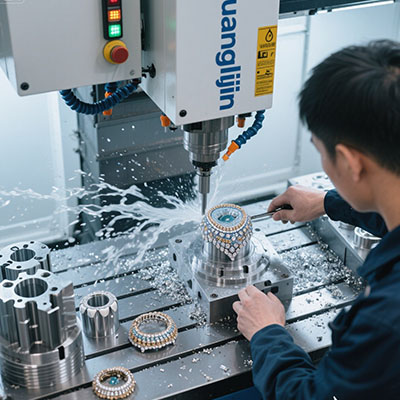
Industrial milling rewards throughput and punishes rework. A part that needs four setups costs four times the loading labor and carries four chances to drift out of tolerance. That math drives the question many shops face: should the next machine carry a rotary axis?
The 4 axis vs 3 axis cnc comparison is often framed as a capability gap. It is really a cost-per-part calculation. A fourth axis adds calibration work, programming skill, and machine price. It removes setups, re-clamping error, and idle time between operations.
This guide works through that calculation for industrial machining. Medium batches. Mixed materials. Parts that repeat. The goal is a decision you can defend with numbers.
The Industrial Problem: Setups Eat the Margin
Machine time is visible on a quote. Setup time often is not. Yet setup labor and fixture cost drive the real margin on small and medium batches.
A 3-axis mill handles prismatic work well. Flat faces. Simple pockets. Holes on one or two orientations. Once features appear on four faces, the workflow fragments. Each re-clamp adds handling time and a new datum reference.
Therefore, the question is not whether a 4-axis machine is more capable. It is whether your part mix spends enough time on multi-face features to justify the rotary investment.
Specifically, 4-axis machining can cut setup counts from five or more down to one or two on medium-complexity parts . That reduction shows up directly in labor hours per unit.
Project A vs Project B: Two Industrial Production Paths
We have quoted and run both paths on similar batches. The table below reflects shop-floor numbers, not marketing claims.
| Factor | Project A: 3-Axis Production | Project B: 4-Axis Production |
|---|---|---|
| Setups per part | 4–6 on multi-face work | 1–2 with indexed rotary |
| Fixture cost | High; one fixture per orientation | Lower; single workholding holds the part |
| Loading labor | Multiplies with each setup | Paid once per part |
| Positional error source | Re-clamp drift between setups | Rotary centerline and backlash |
| Machine price | Lower entry cost | Higher; rotary table and controller add cost |
| Best part mix | Prismatic, low-complexity, high volume | Multi-face, cylindrical, medium batch |
Project A wins on capital cost and simplicity. A 3-axis machine with good fixtures produces excellent prismatic parts. For high-volume flat work, the rotary axis adds nothing.
Project B wins when the part mix trends toward multi-face geometry. The single-setup workflow removes fixture inventory and re-clamp labor. However, the rotary table demands calibration and a CAM workflow that many shops underestimate.
A rotary table specified at ±30 arc-seconds produces roughly 0.02 mm deviation at a 150 mm radius . Features farther from the centerline see more error. Industrial parts with critical features at large radius need a tighter table or in-process probing.
⚠ Attention: Three Mistakes in the Axis Decision
Mistake 1: Buying a 4-axis machine for parts that never leave three faces. The rotary table collects dust while the shop pays for calibration and programming time. Match the machine to the part mix, not to the brochure.
Mistake 2: Treating indexed rotary as simultaneous capability. Indexed motion rotates, locks, cuts, and repeats. It handles ports and flats. Simultaneous motion rotates while cutting and handles helical or continuous contours. Industrial parts often need both. Confirm the controller supports the motion your geometry requires.
Mistake 3: Ignoring rotary backlash under cutting load. A catalog backlash number measured at rest tells you little. Load the table with a test cut. Measure the lost motion afterward. That number, not the spec sheet, determines whether your tolerance holds .
Our Team’s 2025 Production Batch Finding
We ran a batch of industrial valve bodies in 2025. The part had a central bore, four radial ports, and two angled mounting faces. The first run used a 3-axis mill with five setups.
The first ten parts held tolerance. By part forty, the port-to-bore alignment had drifted past the limit. The machine was fine. The fixtures had worn, and each re-clamp added a small error that accumulated.
We moved the job to an indexed 4-axis setup with a single chuck. The ports and bore machined in two operations. The drift stopped. The rotary calibration cost one afternoon. The fixture wear had been costing us every batch.
Step-by-Step: Building the Axis Decision
Follow these five steps before specifying a machine.
Step 1 — Audit the part mix. Sample twenty recent jobs. Count how many require features on three or more faces. If the majority are two-face prismatic parts, a 3-axis machine remains the right tool.
Step 2 — Measure the radial distance to critical features. For each rotary candidate part, note the farthest critical feature from the proposed centerline. Multiply the table’s accuracy spec by that radius. If the deviation exceeds tolerance, the table is not accurate enough .
Step 3 — Calculate setup savings per part. Multiply the re-clamp time per setup by the setups eliminated. Add the fixture cost removed. Compare that total to the rotary machine’s price premium and calibration time.
Step 4 — Confirm the CAM and controller path. Indexed rotary needs a post-processor that outputs A values. Simultaneous work needs a controller that sustains pulses on four channels at once. Verify both before committing to the machine.
Step 5 — Run a first-article batch both ways. Machine ten parts on each workflow. Measure critical features across the batch. The drift pattern tells you which workflow holds tolerance over production volume.
LSI Terms for the Axis Decision
Keep these phrases in your specification documents. They describe the factors that decide the outcome:
- Indexed rotary machining — Rotate, lock, cut. The simpler 4-axis workflow.
- Simultaneous 4-axis interpolation — All axes pulse together for helical and contour work.
- Rotary positioning accuracy in arc-seconds — The spec that converts to radial error.
- Setup reduction per part — The labor savings that justify the rotary investment.
- Re-clamp error accumulation — The hidden cost of multi-setup 3-axis work.
Frequently Searched Questions About 4 Axis vs 3 Axis CNC
When is a 4-axis CNC worth it over a 3-axis for industrial machining? When a meaningful share of the part mix requires features on four or more faces, or when cylindrical and radial features dominate. If most jobs are flat plates and two-face prismatic parts, a 3-axis machine with good fixtures remains more economical.
How much setup time does 4-axis milling save? On medium-complexity parts, 4-axis work typically reduces five or six 3-axis setups to one or two. The savings come from eliminated re-clamping, not from faster cutting. Calculate the re-clamp time saved per part and multiply by batch size .
What rotary table accuracy do I need for industrial tolerances? Convert the table’s arc-second rating to radial deviation at your farthest critical feature. A ±30 arc-second table gives roughly 0.02 mm deviation at 150 mm radius. Tighten the table spec or add probing when features sit farther from centerline .
Can a 4-axis CNC machine handle simultaneous interpolation, or only indexing? It depends on the controller and the CAM software. Indexed motion is standard on most 4-axis machines. True simultaneous interpolation requires a hardware motion controller and rotary-aware CAM. Verify both before buying.
Do I need a 4-axis CNC for cylindrical parts with cross-holes? A 3-axis machine can produce them with a rotary table used as a manual indexer, but the workflow is slower and less repeatable. A proper 4-axis machine cuts the bore and cross-holes in fewer setups with a consistent datum.
Checklist: Before Specifying the Machine
☐ Twenty-job part mix audited for face count
☐ Rotary candidate parts identified by geometry
☐ Farthest critical feature radius measured per part
☐ Table accuracy converted to radial deviation
☐ Setup savings calculated per part
☐ Fixture cost removed from the 3-axis path
☐ CAM post-processor verified for A-axis output
☐ Controller confirmed for simultaneous interpolation if needed
☐ First-article batch comparison planned
☐ Rotary backlash planned for measurement under load
The 4 axis vs 3 axis cnc decision in industrial machining is a margin calculation. Audit the part mix. Convert rotary specs to real deviation. Compare setup labor saved against machine cost. The numbers will point to the right machine.