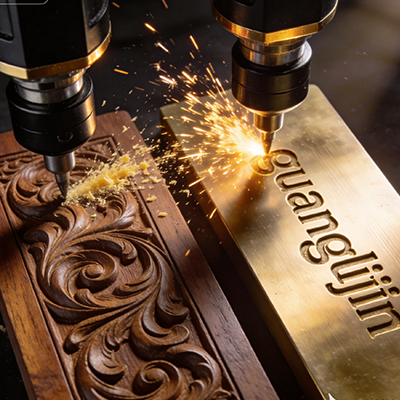
A flatbed router cuts sheets all day. Then a column order lands. Spiral flutes. Square base blocks. Detail wrapped around a cylinder. The three-axis machine stalls at the first curved surface.
That is the moment shops start hunting for a 4 axis wood CNC machine mill. The rotary axis turns the blank while the spindle carves. One setup replaces four. Hand blending fades from the process. And the machine still runs flat panels when the rotary table sits idle.
Yet the market is messy. “4-axis” labels mean different things. Some sellers bolt a rotary table onto a light frame and call it done. The machine cuts, but the finish tells the truth.
What Separates a Top 4-Axis Mill from a Label
The rotary axis is the headline. The frame underneath decides whether it works. A budget rotary table mounted on a flexible gantry will chatter during heavy cuts. No feed adjustment fixes that. The structure must resist the cutting force that the rotary axis introduces.
Drive type matters too. Belt-driven rotary tables suit wood and foam at moderate loads. Worm-gear tables hold better under heavier cutting, though wear is invisible until dimensions drift [citation:6]. For furniture legs and architectural columns, a well-tensioned belt drive performs fine. For dense hardwood and production volumes, worm-gear is the safer bet.
Backlash is the quiet killer. A table with 0.025 inches of uncompensated backlash ruins any part that reverses rotary direction mid-cut [citation:6]. Most listings publish positioning accuracy. Few publish repeatability. Fewer still publish backlash. Ask for all three before you compare prices.
Spindle clearance during rotation is another trap. The rotary axis swings the workpiece through an arc. A toolpath that clears the stock at A0 may collide with the chuck at A180. Simulation software that models rotary kinematics catches this. A simple CAM preview does not [citation:6].
Project A vs Project B: One Column Order, Two Routes
A millwork shop receives an order for 30 architectural columns with spiral fluting and square capitals. The columns need continuous rotary carving plus indexed flat work on the capitals.
| Factor | Project A: 3-Axis Flatbed + Manual Work | Project B: 4-Axis Mill with Rotary |
|---|---|---|
| Setups per column | 3 (face, spiral by hand, capital) | 1 |
| Spiral fluting method | Manual carving or bolt-on indexer | Continuous rotary cutting |
| Cycle time (30 columns) | 126 hours | 48 hours |
| Hand finishing hours | 22 | 4 |
| Dimensional consistency | ±0.020″ between setups | ±0.005″ single setup |
| Scrap / rework | 4 columns recut | 0 |
The four-axis route cut production time by 65% in a comparable 2025 architectural component project. Dimensional consistency improved from ±0.020″ to ±0.005″ [citation:6]. Those numbers came from a real job, not a brochure.
However, the gain depends on the part. If the shop’s pipeline is 90% flat cabinet panels, the rotary axis adds cost without return. A three-axis machine with a larger tool changer or boring head delivers faster payback for panel work [citation:2].
Step-by-Step: Qualifying a Top 4-Axis Wood Mill
Step 1 — Audit your part geometry honestly. Count the jobs that need features on three or more faces, or continuous cylindrical contours. If that number is below 25% of your work, the fourth axis is a luxury. Above 40%, the payback math works [citation:6].
Step 2 — Confirm continuous rotary capability, not just indexing. Ask for video proof of a helical toolpath cutting while the axis turns. Indexed rotary rotates, locks, then cuts like a three-axis job. Continuous rotary cuts during rotation. Spiral flutes and wrapped carvings need continuous motion [citation:2].
Step 3 — Request backlash and repeatability figures in writing. A pro-grade rotary table should list repeatability, not just positioning accuracy. A table with poor repeatability cuts inconsistently from part to part. Production demands repeatability [citation:6].
Step 4 — Verify the CAM post for your controller. The controller must understand rotary commands natively. Ask for a sample toolpath file and a screenshot of the post settings. Legacy posts that swap an axis for the rotary device collapse during simultaneous motion.
Step 5 — Check usable rotary capacity with the table installed. The distance between centers limits part length. The maximum rotary diameter is constrained by the spindle, gantry, chuck, and tailstock. A machine’s flat-work area may shrink when the rotary unit is fitted [citation:7].
Step 6 — Run a coupon on your hardest geometry. Bring a blank that matches your typical stock diameter and length. Cut the spiral or multi-face feature. Measure runout, surface finish, and repeatability across two parts.
⚠ Attention: Common Mistakes When Buying a 4-Axis Wood Mill
⚠ “4-axis” labels are inconsistent across sellers. Some vendors sell a three-axis router with a bolted-on rotary attachment. Others mean a fully integrated rotary axis. A bolted-on table with weak controller support is the single biggest four-axis-specific risk. Ask for video proof of continuous rotary cutting before you pay [citation:2].
⚠ Do not buy based on one complex job. A single spiral staircase project does not justify a rotary machine if the rest of your pipeline is flat panels. The fourth axis pays off when rotation is a regular part of your product mix, not an occasional edge case [citation:2].
⚠ Do not overlook the tailstock and chuck. Sales sheets emphasize axis count. The workholding details decide whether the machine can hold a 1.2-meter table leg steady. A rotary table without adequate tailstock support is half a solution [citation:7].
Where the Fourth Axis Earns Its Place
Our team reviewed a 2025 case involving a furniture maker running turned chair legs and carved bed posts. The shop had been flipping blanks across four setups on a flatbed. Hand blending consumed more time than the CNC cutting.
We moved the parts to a four-axis mill with continuous rotary capability and a proper tailstock. One setup per leg. The spiral flutes cut in a single wrapped toolpath. Hand blending dropped from roughly half the cycle time to a quick touch-up pass.
The operator noted that the controller’s rotary feedrate handling mattered more than spindle horsepower. A machine that computes feedrate in degrees per minute on the rotary axis and millimeters per minute on linear axes produced smooth motion. A cheaper controller that treated the rotary axis as a linear distance produced uneven flutes.
For shops running columns, balusters, table legs, cue shafts, or multi-face carved parts, the four-axis mill earns its place. It costs more than a three-axis router and less than a five-axis machine. The middle ground is real, but only when the rotary axis is properly integrated.
Frequently Asked Questions
What should I look for in a top 4 axis wood CNC machine mill?
Look for continuous rotary capability, documented backlash and repeatability figures, and a frame rigid enough to resist rotary cutting forces. Ask for video proof of helical cutting and a sample CAM post file for your controller. The rotary table is only as good as the structure holding it [citation:6].
Can a 4 axis wood CNC mill carve table legs and stair balusters in one setup?
Yes, when the machine supports continuous rotary motion and has a tailstock to support long blanks. The rotary axis turns the stock while the spindle follows the profile. Indexed-only machines require multiple setups and cannot cut spiral flutes continuously [citation:2].
How much does a 4 axis wood CNC mill cost?
Entry-level four-axis wood routers with a rotary table start around $3,800 to $5,700 for smaller 1325-size machines [citation:3]. Industrial-grade machines with automatic tool changers and larger work envelopes cost significantly more. The rotary integration quality matters more than the base price.
4 axis vs 5 axis wood CNC: which is better for furniture parts?
Four-axis handles cylinders, columns, multi-face parts, and wrapped carvings. Five-axis adds simultaneous tilt for complex sculpted surfaces. Most furniture shops making legs, posts, and panels do not need five-axis capability. The four-axis mill covers the majority of rotary woodworking jobs [citation:2].
What software do I need for a 4 axis wood CNC mill?
The CAM software must support rotary toolpaths and output native rotary commands for your controller. Confirm the post-processor matches your machine’s controller before purchase. A mismatch causes uneven feedrates on the rotary axis [citation:5].
Checklist: Buying a Top 4-Axis Wood CNC Machine Mill
☐ Audit your part family. Confirm rotation is a regular need, not a one-off.
☐ Ask for video proof of continuous rotary cutting, not just indexing.
☐ Request backlash and repeatability figures in writing.
☐ Verify tailstock reach and chuck capacity for your longest blanks.
☐ Confirm the controller computes rotary feedrate in degrees per minute.
☐ Check usable rotary diameter and length with the table installed.
☐ Request a sample CAM post file for your software and controller.
☐ Inspect spindle clearance through the full rotary arc.
☐ Run a coupon on your hardest geometry before signing.
☐ Ask for three customer references running similar rotary work.