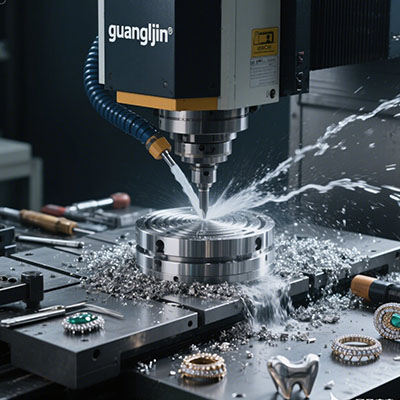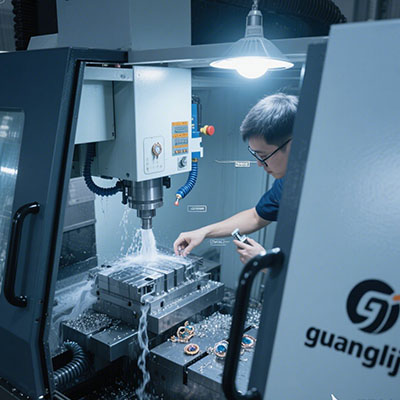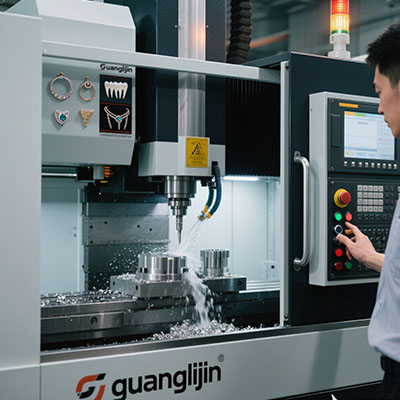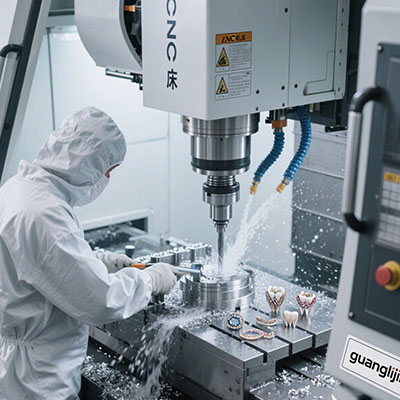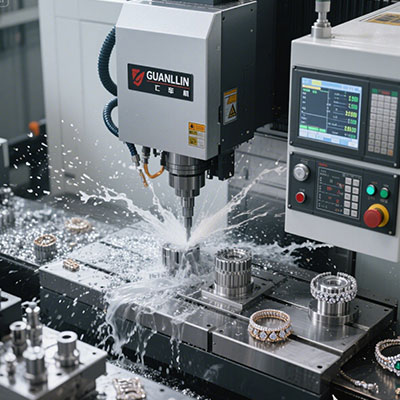
Small shops face a hard choice. Buy a full machining center and drown in cost. Stay on three axes and lose the complex work. There is a third path. A compact platform that brings five-axis motion to the bench. This is the promise behind desktop 5 axis cnc milling solutions.
The promise is real, but it comes with limits. This guide covers the decision, the setup, and the daily practice. It is written for owners and engineers who want results, not brochures.
The Problem: Complex Work, Limited Space and Budget
Modern design pushes toward complex geometry. Angled ports. Curved flanges. Undercut features. Three-axis work needs multiple setups, and each setup adds error and time.
A full five-axis machining center solves the geometry problem. It also brings a large footprint, high power demand, and a price that strains a small shop. The gap between need and budget is wide.
Therefore, small shops often turn down the complex work. They send it to larger competitors. They lose the margin and the relationship. The platform gap becomes a business gap.
The Solution: A Compact Five-Axis Platform
Desktop five-axis machines close part of that gap. They use rigid frames, linear guides, and ballscrews. Most offer a trunnion table with simultaneous motion. Spindle power is modest, often under 2 kW. Travel is compact, usually under 300 mm per axis.
This suits small, complex parts in aluminum, brass, and plastics. It also suits light finishing passes in titanium and stainless steel. Heavy roughing in nickel alloys is out of scope.
Published performance data for compact five-axis platforms often specifies positioning accuracy in the ±5 to ±10 micrometer range, with repeatability tighter than 5 micrometers. Real cutting accuracy depends on the fixture and the load.
Two Solution Paths Compared
The table below contrasts two common approaches. Both target complex small parts. The trade-offs are clear.
| Project Parameter | Project A: Desktop Five-Axis Platform | Project B: Full-Size Five-Axis Center |
|---|---|---|
| Footprint | Small, fits a bench or lab | Large, needs a dedicated floor |
| Power demand | Standard single-phase or light three-phase | Heavy three-phase, compressed air, coolant |
| Cost band | Lower | Much higher |
| Best part size | Under 300 mm | Large structural parts |
| Best material | Aluminum, brass, plastics | All alloys, including nickel |
| Cutting capability | Light to moderate | Heavy roughing |
| Main risk | Frame deflection on hard alloys | High fixed cost and queue time |
| Typical use | Prototypes, small batches, lab work | Production aerospace parts |
The desktop path wins on cost, space, and speed. The full-size path wins on power and part size. The right choice depends on the work mix. Many shops benefit from both.
Step-by-Step Guide: Setting Up a Desktop Five-Axis Solution
Buying the machine is one step. Building a working solution takes planning. Follow these steps.
Step 1: Define the Work Mix Before Buying
List the parts you plan to run. Note size, material, and tolerance. Compare each part to the machine envelope. A machine that fits 80% of the work is a strong buy. A machine that fits 30% is a mistake.
Step 2: Plan the Floor Space and Services
Check power, air, and coolant needs. Confirm floor loading. Plan chip and coolant management. A compact machine still needs a clean, stable environment. Temperature swings hurt accuracy.
Step 3: Build a Fixture Library
Small machines reward fast changeover. Build a standard base plate with locating pins. Make dedicated fixtures for repeat parts. A fixture library cuts setup time and improves repeatability.
Step 4: Train on Simulation and Toolpaths
Compact machines have tight clearances. Simulate every rotary approach with the real holder model. Train operators on high-speed toolpaths and light radial engagement. These habits protect the frame and the part.
Step 5: Prove the Process with a First Article
Cut a real part and measure all critical features. Check thin walls and angled ports. Adjust the program if needed. Lock the program only after the first article passes.
⚠ Attention: Common Mistakes with Desktop Five-Axis Solutions
Mistake 1: Buying for the biggest part you might run. A machine sized for rare jobs wastes money. Size for the work you actually do.
Mistake 2: Ignoring the environment. A compact machine in a drafty room will drift. Stable temperature and clean power matter as much as the machine spec.
Mistake 3: Skipping the fixture plan. A weak fixture wastes the machine’s accuracy. Budget time and money for a real fixture library.
Mistake 4: Treating it like a full-size machine. Heavy roughing in hard alloys will deflect the frame. Use light passes and high-speed toolpaths.
A Real Case: Turning Down Less Work
We worked with a small shop in a 2025 case. The owner kept turning down complex aluminum housings. The parts were small, but they had angled faces and tight port positions. Three-axis work meant four setups and inconsistent results.
He added a desktop five-axis machine to the bench. We helped plan a fixture library and a high-speed toolpath strategy. The first article passed at ±0.02 mm on port position.
Within six months, the shop stopped turning down that class of work. The machine paid for itself in under a year. The owner kept his three-axis machines for simple parts. The desktop platform handled the complex ones. Platform matching did the work.
Daily Practice: Keeping the Solution Sharp
A solution is not a purchase. It is a routine. Warm up the machine before tight-tolerance cuts. Keep the fixture base clean. Check backlash monthly. Clean the scale and check the read head gap.
Track scrap and rework by part family. A rising trend points to axis wear or fixture drift. Address it before it reaches a customer.
Therefore, the best desktop five-axis solution includes maintenance and measurement. The machine provides the motion. The routine provides the accuracy.
For shops sourcing compact platforms, desktop 5 axis cnc milling solutions cover the range from entry-level benchtop units to rigid compact machines built for real production work.
Frequently Asked Questions
What should I look for in desktop 5 axis CNC milling solutions for a small shop?
Check work envelope, spindle power, frame rigidity, and feedback type. Confirm the machine fits your actual work mix. A linear scale and a rigid frame matter more than a long feature list.
Can a desktop five-axis machine handle titanium aerospace parts?
It can handle light finishing passes in titanium with sharp tools and small radial engagement. Heavy roughing is out of scope. Match the operation to the machine’s capability.
How much space and power does a desktop 5 axis CNC mill need?
Most compact platforms fit a bench or a small floor area. Power needs are modest, often single-phase or light three-phase. Check the specification for air and coolant requirements.
What tolerances can I expect from desktop 5 axis CNC milling?
Positioning accuracy is often specified in the ±5 to ±10 micrometer range. Real cutting accuracy depends on the fixture and load. Well-supported features commonly hold around ±0.02 mm.
Is desktop 5 axis CNC milling a good investment for prototype work?
Yes, for small complex parts. It shortens the design loop and cuts outsourcing cost. It also builds in-house five-axis skills. Many shops recover the cost within a year.
Final Checklist: Desktop Five-Axis Solution Readiness
- ☐ Work mix listed with size, material, and tolerance
- ☐ Machine envelope matched to the work mix
- ☐ Power, air, and coolant requirements confirmed
- ☐ Floor space and environment checked
- ☐ Fixture library planned with standard base plate
- ☐ Simulation workflow in place
- ☐ Operators trained on high-speed toolpaths
- ☐ First-article inspection plan ready
- ☐ Maintenance schedule set for backlash and scale checks
- ☐ Scrap and rework tracking in place
Desktop five-axis solutions close the gap between complex work and small-shop budgets. Size the machine to the work. Build the fixture library. Train the team. Do that, and the platform becomes a business asset, not a bench ornament.