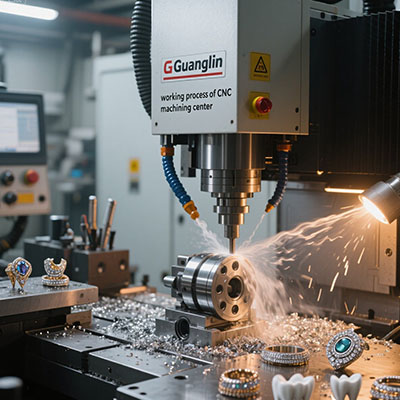
The phrase “aero grade” gets attached to router tables with little definition. In practice, it means the machine and the process around it can hold documented tolerance across a production run. That standard is reachable. It is not automatic.
This guide covers what an aero grade 3 axis cnc router table line requires, how to compare two line configurations, and a five-step qualification routine. You will also find a comparison table, a warning block, and a closing checklist.
What “Aero Grade” Really Requires From a Router Table
Aerospace work demands three things from any machine. It demands dimensional repeatability, process documentation, and material traceability. A router table built for cabinet work delivers none of these by default.
Aero grade routing focuses on support work. That includes composite panel trimming, drill templates, soft tooling, and prototype fixtures. Flight-critical primary structure stays on VMCs and five-axis platforms. Therefore, the aero grade line should be specified for the work it actually performs.
Tolerance expectations must match the task. A router table with a rigid frame and a pro spindle holds roughly ±0.05 mm on aluminum with light cuts. Composite trim work often accepts wider tolerance. The line specification should state the target tolerance per part family.
Line Components That Affect Tolerance
The frame sets the rigidity floor. A welded steel base resists deflection better than an aluminum extrusion frame. The linear rails set the motion precision. Wide, preloaded rails reduce play and improve repeatability.
The spindle sets the cut quality. A water-cooled spindle with low runout holds finish and tool life. The controller sets the repeatability of moves. A controller with adequate processing power and closed-loop feedback reduces positional error across long tool paths.
Project A vs Project B: Single Table vs Aero Grade Line Setup
We compared two configurations on a composite trim and aluminum fixture workload. One used a single router table with improvised process control. The other used an aero grade line with documented parameters and thermal management. Our team tracked outcomes during a 2025 evaluation of router line performance for a composites supplier.
| Parameter | Project A: Single Table | Project B: Aero Grade Line |
|---|---|---|
| Line investment | ~$6,000 | ~$24,000 (two tables, fixtures, docs) |
| Frame construction | Aluminum extrusion | Welded steel base |
| Spindle runout | ~0.0008 in | Under 0.0005 in |
| Tolerance achieved on aluminum | ±0.12 mm | ±0.05 mm |
| Thermal drift over 8-hour shift | ~0.08 mm | ~0.02 mm |
| Documentation per batch | Manual notes | Automated tool path and inspection logs |
| Rework in first quarter | ~$2,200 | ~$400 |
Project A cost far less at purchase. It lost much of that advantage to rework and inconsistent tolerance. Project B cost more upfront and delivered documented repeatability. Consequently, the aero grade line is a process investment, not a machine purchase.
How to Set Up an Aero Grade Router Table Line: 5 Steps
Line qualification follows a sequence. Skip a step and the gap appears in a customer audit. Work through this routine before releasing production batches.
Step 1: Define Tolerance and Documentation Per Part Family
List every part family the line will run. State the target tolerance and the documentation required for each. Separate support work from flight-critical work. The line specification follows from that list, not from a general capability claim.
Step 2: Verify Frame Rigidity and Rail Precision
Check the frame construction and rail specifications. A welded steel base with preloaded wide rails resists deflection and play. Push the gantry by hand and look for flex. Measure rail parallelism with a dial indicator before accepting the machine.
Step 3: Establish Thermal Management and Warm-Up Routine
Router tables drift as they warm. Spindles, motors, and ambient temperature all shift dimensions. Run a warm-up cycle before production and record baseline measurements. Establish a re-check interval for long shifts.
Step 4: Lock Process Parameters and Log Every Batch
Record spindle RPM, feed rate, depth of cut, and tool part numbers for each part family. Lock those parameters in the controller. Log every batch against the parameters. A parameter change without a log entry breaks the process record.
Step 5: Run a Qualification Batch and Measure Repeatability
Cut a batch of at least ten parts using the locked parameters. Measure each part and record the results. Variation between parts reveals whether the line holds tolerance. A line that drifts across the batch is not yet qualified.
- Claiming aero grade without documented parameters. A machine without locked process settings and batch logs cannot support a traceability audit. Documentation is part of the line, not an afterthought.
- Ignoring thermal drift over a long shift. An eight-hour run can shift dimensions by 0.08 mm or more on an uncontrolled line. Warm-up cycles and periodic re-checks keep the process in tolerance.
- Using one table for both support and flight-critical work. Mixing work categories blurs the process record and raises audit risk. Keep flight-critical work on qualified platforms with tighter process control.
Thermal Drift and Repeatability on a Router Line
Thermal drift is the quiet enemy of a router line. Spindle bearings, stepper motors, and ambient shop temperature all shift machine geometry as the shift progresses. A part cut at 8 a.m. may not match a part cut at 3 p.m.
The fix is process discipline. Warm up the spindle and axes for a fixed period before production. Record a baseline measurement on a reference part. Re-check at defined intervals and adjust offsets when drift exceeds the tolerance budget. That routine turns thermal drift from a surprise into a managed variable.
Frequently Asked Questions About Aero Grade Router Table Lines
What makes a 3 axis CNC router table “aero grade”?
Aero grade means the machine and process hold documented tolerance across production batches. It requires a rigid frame, precise rails, a low-runout spindle, locked process parameters, and batch logging. The label is earned through documentation, not marketing.
What tolerance can an aero grade router table line hold?
A rigid line with a pro spindle holds roughly ±0.05 mm on aluminum with light cuts. Composite trim work often accepts wider tolerance. The achievable tolerance depends on frame rigidity, spindle runout, and thermal management.
How do I control thermal drift on a router table line?
Run a fixed warm-up cycle before production. Record a baseline measurement on a reference part. Re-check at defined intervals and adjust offsets when drift exceeds the tolerance budget. Keep ambient shop temperature stable where possible.
Can a router table line replace a VMC for aerospace parts?
No for flight-critical structure. A router line supports composite trim, fixtures, and prototypes. Flight-critical machining requires the rigidity and process control of a VMC or five-axis platform. The two serve different roles in the shop.
Final Checklist Before Qualifying an Aero Grade Router Line
- ☐ Part families listed with target tolerance and documentation needs
- ☐ Frame rigidity and rail precision verified
- ☐ Spindle runout measured below 0.0005″
- ☐ Rail parallelism checked with a dial indicator
- ☐ Warm-up routine established and recorded
- ☐ Process parameters locked in the controller
- ☐ Batch logging system in place
- ☐ Qualification batch of ten parts measured for repeatability
- ☐ Thermal drift re-check interval scheduled
An aero grade router line is built from rigid hardware and disciplined process control. The frame sets the rigidity. The parameters set the repeatability. The logs prove both. When the qualification batch measures true, the line is ready. When it drifts, the process tells you where to look.